Description
DEMO LINK
FEATURES:
-
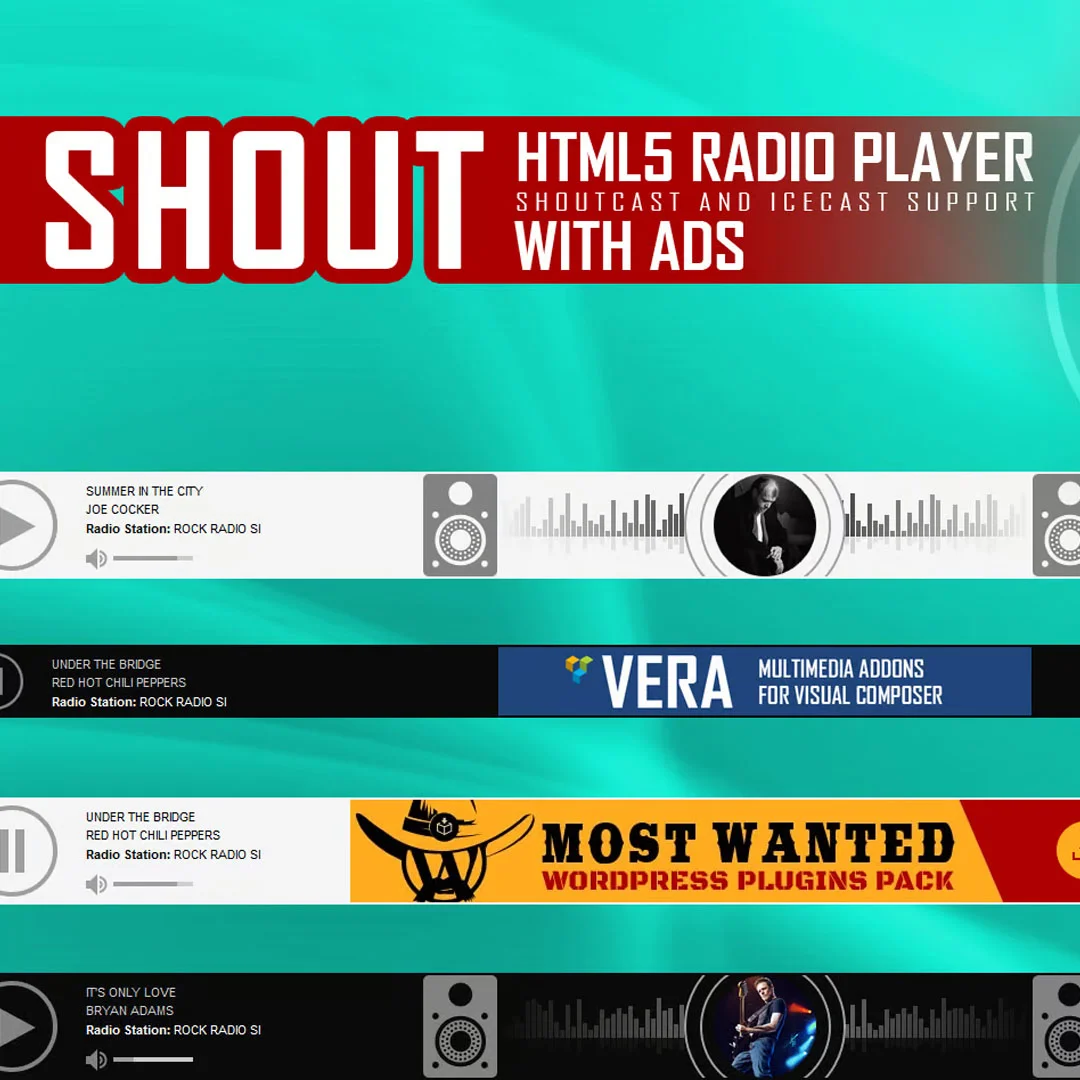
Shoutcast and Icecast Support: Compatible with Shoutcast and Icecast radio streams. Supports MP3 streams fully, and AAC streams on browsers that support AAC playback.
-
Radio Stream Only: Simply add your radio stream URL, and the player will automatically fetch the radio name, categories, current song, and artist image.
-
Responsive Design: Works perfectly on responsive websites.
-
Mobile Compatible: Fully compatible with iOS and Android devices.
-
Sticky & Standard Modes: Choose to make the player sticky on a single page or site-wide, or disable sticky mode to embed the player directly in page or post content.
-
Ads Support: Display one or multiple commercial banners per radio station during playback. Ads can be disabled to show the current artist’s image instead.
-
Popup Player: A button opens the player in a popup window, allowing uninterrupted listening while browsing the site.
-
Highly Customizable: Two skins available (black & white) with options to customize colors and match any website design.
-
Artist Image Display: Shows the current artist’s photo if available in the database.
-
Categorized Playlists: Playlist items are organized into categories, which are automatically generated from the radio stream data. A radio file can belong to multiple categories.
-
Playlist Search: Search the playlist with instant results displayed as you type.
-
Show/Hide Playlist: Toggle the playlist visibility, with the option to start the player with the playlist hidden.
-
Social Sharing: Share the radio player on Facebook and Twitter, with customizable share titles and descriptions.
-
Manual Radio & Category Naming: Option to manually set the radio name and category names if needed.
-
Show/Hide Controls: Control visibility of playlist, volume, and share buttons.
-
Extensive Customization: Over 70 parameters available, including width, autoplay, initial volume, playlist options, categories, and color settings.
Notes for iOS (Apple Restrictions):
VIDEO TUTORIAL:
Detailed step-by-step video tutorials are included in the help documentation for easy setup and customization.






 Agency License


Reviews
There are no reviews yet